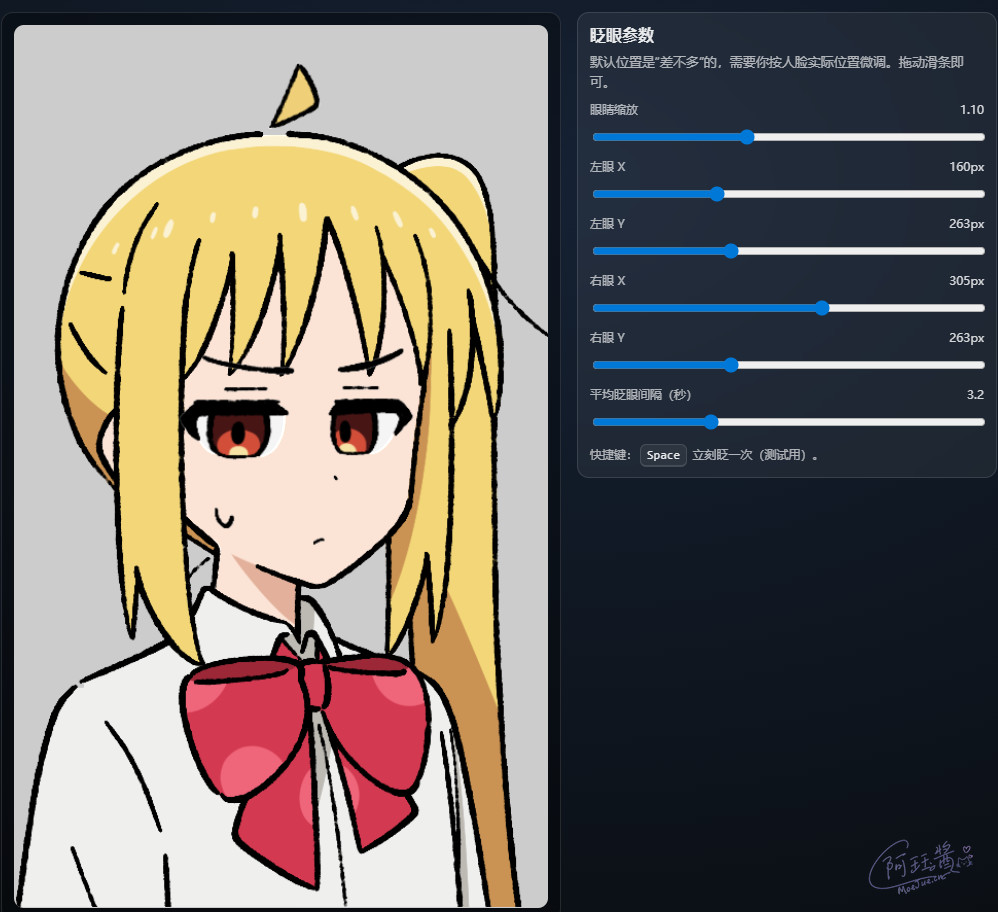
Recently I did a rather interesting little experiment.
I implemented a small anime character animation effect using three different approaches:
- WebGL
- Canvas 2D
- Pure DOM + CSS
The effect itself isn’t complicated:
- Eye blinking
- Eyebrow/lower eyelid联动
- Sweat droplet gently swaying
- Ahoge (hair antenna) swinging
But the really interesting part isn’t actually “making it work.”
It’s:
When implementing the same thing with three different tech stacks, how different are they really?
Essentially, this was a reproduction experiment with a very strong “front-end graphics” flavor.
At First, I Just Wanted to Recreate an Ahoge Animation
Inspiration source: https://tamanidamani.itch.io/nijikas-ahoge
My idea at the time was extremely simple: “If it were me, how would I implement this?”
Then I got more and more into it. Eventually it evolved into:
Why don’t I just implement all three approaches: WebGL, Canvas2D, and DOM.
And so the repo turned into what it is now:
Three versions, same effect.
The Conclusion First
If I had to sum it up in one sentence:
WebGL is the most powerful, but Canvas2D is the most comfortable, and DOM is best suited for business applications
1. WebGL Version: The Closest to “Real Game Development”
This version was the most exhausting.
Because it’s essentially no longer “front-end animation,” it’s: GPU graphics programming
How does it actually work?
The core approach is basically:
- A base layer
- Sprite layers stacked on top
- Shader controls rendering
- JS drives animation parameters
For example:
- Ahoge rotation
- Eye-clipping for blinking
- Alpha blending
All of this actually happens on the GPU side.
You start dealing with:
- uniforms
- textures
- shaders
- UVs
- vertex coordinates
- texture coordinates
And then you gradually lose your smile.
But WebGL is genuinely powerful
When the number of elements increases, WebGL’s “not even slightly worried” attitude becomes especially apparent.
Particularly in scenarios involving:
- High resolution
- Multi-layer textures
- Shader effects
- Particles
- Post-processing
Canvas2D starts to struggle.
DOM starts to lag.
WebGL just says: “Bring it on.”
But its development experience…
Let’s just say: extremely hardcore.
For any random issue like: “Why is the texture flipped?” you might spend half an hour debugging.
Because:
- The coordinate system is different
- UV direction is different
- Texture origin is different
Even: If you write one wrong variable name in your shader, the page might just go black. And the console won’t give you a single helpful message.
2. Canvas2D: The Most Satisfying Version to Write
Because it sits at: “just the right level of complexity.”
drawImage is truly a magic tool
The entire version basically revolves around: ctx.drawImage(...)
Draw constantly. Stack constantly. Clip constantly.
How is blinking implemented?
I actually really like this part.
Instead of direct scaling, it clips the source image from top to bottom. Then the bottom edge stays fixed.
This looks much more like actual “closing eyes” rather than simple texture compression.
These little details actually have a huge impact on visual quality.
How is the ahoge done?
Canvas2D rotation is a classic pattern:
save()
translate()
rotate()
drawImage()
restore()
Rotate around the bottom-left pivot point.
Done. The whole approach is very intuitive.
Why I think Canvas2D is the sweet spot
It has this sense of balance: “you can achieve effects without losing your hair.”
Unlike WebGL: before you even start animating, the shader teaches you a lesson.
But also unlike DOM: as you go further, you start fighting the browser’s layout system.
Canvas2D is basically:
- Easy to debug
- Strong browser compatibility
- Low mental overhead
- Sufficiently flexible
So it’s no coincidence that many indie games absolutely love it.
3. DOM Version: The Least “Graphics Programming” Version
This version is actually the most interesting, because it doesn’t rely on canvas at all.
Pure:
- HTML
- CSS
- JS
Brute force.
All facial features are divs
For example:
- Eyes
- Eyebrows
- Sweat droplets
Are essentially: <div> elements using:
- background-position
- background-size
to crop from a sprite atlas.
The eye-closing implementation is very much like a UI trick
I actually really like this approach.
It uses: overflow: hidden; as a mask.
Then the sprite inside moves downward, achieving the effect of “closing eyes from top to bottom.”
DOM’s biggest advantage
It’s especially well-suited for: actual web pages.
For example:
- UI systems
- Buttons
- Text
- Responsive layouts
All can be seamlessly integrated.
But DOM does get progressively heavier
Especially when the number of elements grows:
- Layout
- Repaint
- Composite
The browser starts doing recalculation like crazy.
And then you realize: you’re using CSS to build half of a game engine.
How to Choose Between the Three?
There’s really no “one crushes the others.”
It’s just: what does your current project resemble more?
If you want to:
- Create complex visual effects
WebGL - Build indie games
Canvas2D - Create interactive web characters
DOM
My Biggest Takeaway from This Project
Behind different tech stacks,
lie fundamentally different rendering mindsets.
- WebGL thinks:
how does the GPU draw this - Canvas2D thinks:
how do I render this frame - DOM thinks:
how does the browser layout and composite this
They’re not even the same worldview.
Finally
This repo is essentially not about “doing animation.”
It’s about studying:
How exactly does the browser draw things on screen.
The above content is best enjoyed alongside the code: https://github.com/iAJue/CanvasGame
The last time I did this kind of comparison was last time: 《How to Elegantly Submit a Form》