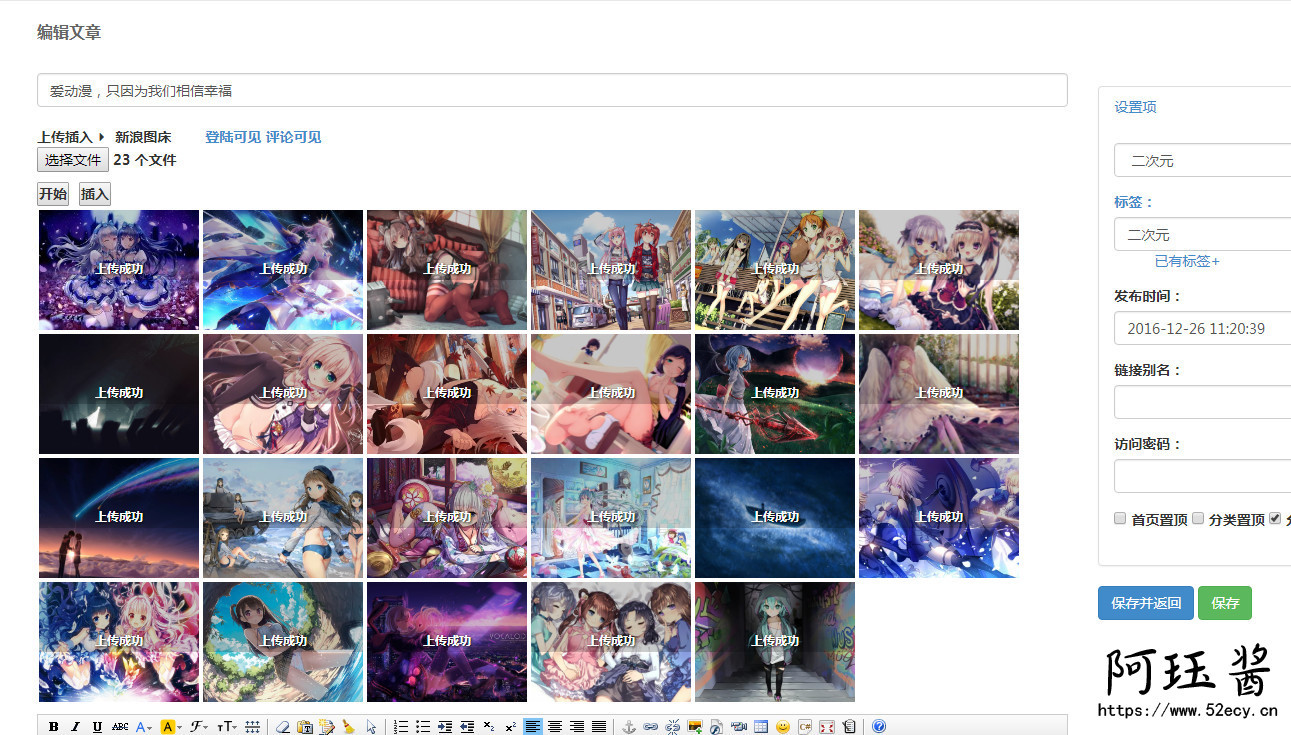
Note: GitHub package download zip archive file name will be added -master including the compressed folder inside, need to rename it to SinaUpload before uploading, otherwise emlog will report an error.
The plugin is limited to emlog blog system, other blog systems can not be used! The following is the public interface, you can write your own plug-ins for other systems.
Interface address:
https://img.52ecy.cn/home/Interface
Description of request parameters:
name
clarification
username
Fantasy Realm Account
password
Realm of Fantasy Code
multipart(可选)
false/true, use local upload or remote upload, default local upload (true)
url (optional)
The address of the image to be dumped, when multipart is false, the url must be passed.
Return standard json data
{ “code”: “0000”, #status code “msg”: “http://www.52ecy.cn/randbg.png" #image address }
成功返回000状态码和图片地址,失败返回状态码和原因
.down_link{background:url(‘https://www.52ecy.cn/content/uploadfile/201707/md-bg.jpeg' ) no-repeat 100% 0% #fffdff; border: 1px solid #faf8fb; border-radius: 2px; color: #666; font-size: 14px; margin-bottom: 10px; padding: 5px 20px;}.downbtn{background: none repeat scroll 0 0 #1BA1E2; border: 0 none; border-radius: 2px; color: #FFFFFF; cursor: pointer; font-family: “Open Sans”,“Hiragino Sans GB”,“Microsoft YaHei”,“WenQuanYi Micro Hei”,Arial,Verdana,Tahoma,sans-serif; font-size: 14px; margin: -4px 20px 0 0; padding: 8px 30px;text-transform:none;text-decoration:none;} .downlink a{text-decoration:none;} .downlink a{text-decoration:none;font-size:15px;} .downlink a:link{color: #ffffff;} .downlink a:visited{color: #ffffff;} .downlink a:hover{color: #ffffff;} .downlink a:active{color: #ffffff;} .downbtn{background: none repeat scroll 0 0 #1BA1E2; border: 0 none; border-radius: 2px; color: #FFFFFF !important; cursor: pointer; font-family: “Open Sans”,“Hiragino Sans GB”,“Microsoft YaHei”,“WenQuanYi Micro Hei”,Arial,Verdana,Tahoma,sans-serif; font-size: 14px; margin: -4px 20px 0 0; padding: 8px 30px;} .yanshibtn{background: none repeat scroll 0 0 #d33431; border: 0 none; border-radius: 2px; color: #FFFFFF!important; cursor: pointer; font-family: “Open Sans”,“Hiragino Sans GB”,“Microsoft YaHei”,“WenQuanYi Micro Hei”,Arial,Verdana,Tahoma,sans-serif; font-size: 14px; margin: -4px 20px 0 0; padding: 8px 30px;text-transform:none;text-decoration:none;} .downbtn:hover,.yanshibtn:hover{background: none repeat scroll 0 0 #9B59B6; border: 0 none; border-radius: 2px; color: #FFFFFF!important; cursor: pointer; font-family: “Open Sans”,“Hiragino Sans GB”,“Microsoft YaHei”,“WenQuanYi Micro Hei”,Arial,Verdana,Tahoma,sans-serif; font-size: 14px; margin: -4px 20px 0 0; padding: 8px 30px;} .downbtn a:hover,.yanshibtn a:hover{background: none repeat scroll 0 0 #9B59B6; border: 0 none; border-radius: 2px; color: #FFFFFF; cursor: pointer; font-family: “Open Sans”,“Hiragino Sans GB”,“Microsoft YaHei”,“WenQuanYi Micro Hei”,Arial,Verdana,Tahoma,sans-serif; font-size: 14px; margin: -4px 20px 0 0; padding: 8px 30px;}
Downloaded at:
File name: emlog sina chart plugin
File Size: 5K Current Version: 1.1
Update Date:2018-05-28Author Info:Jue
Update the log:
May 28, 2018
I’m very sorry, because of the error in the configuration file, the callback function can’t be read in properly, so the image uploaded successfully can’t be inserted.